![Logo-RGB-color-solid.png]](https://help.kahlerautomation.com/hs-fs/hubfs/Logo-RGB-color-solid.png?height=40&name=Logo-RGB-color-solid.png)
Orders fail to export if AgVantage reports a response other than success (200 OK); When this happens, the order will not be marked as exported and the integration will try again after a short time, repeating until the export succeeds.
There are some situations where the export will never succeed. In this case an order can be marked as exported to stop future attempts to export.
To mark an order as exported, click the “Mark Exported” button next to the relevant order as shown under “Completed Orders”.
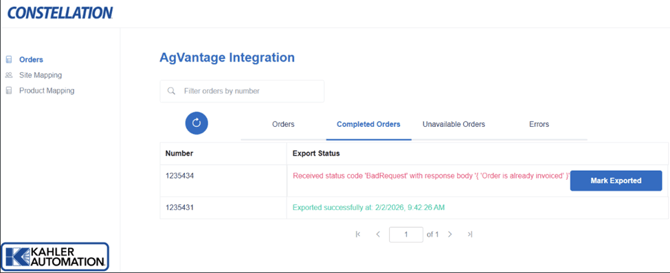
User will then be prompted to add any notes before confirming the operation.
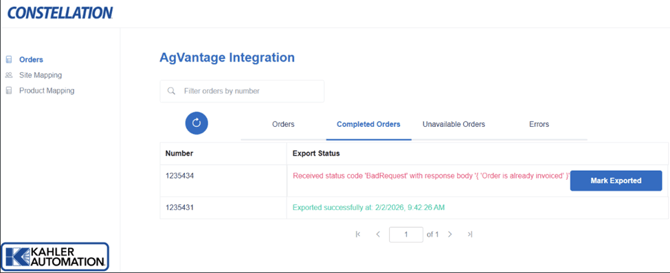
Once an order has been manually marked, the export status will include any note provided and an indication of what user had marked the order.
Further Reading
- Constellation AgVantage Integration
- Constellation AgVantage Integration - Site Mapping
- Constellation AgVantage Integration - Product Mapping
- Constellation AgVantage Integration - Customers
- Constellation AgVantage Integration - Orders
- Constellation AgVantage Integration - Branch Mapping
Still Need Help?
Submit an online web ticket or call us at Kahler Automation 507-235-6648 Option 2.