![Logo-RGB-color-solid.png]](https://help.kahlerautomation.com/hs-fs/hubfs/Logo-RGB-color-solid.png?height=40&name=Logo-RGB-color-solid.png)
Sites wishing to provide their own scale indicator or replace an existing one can use this tool to validate their scale’s ability to communicate with LOADPASS.
This tool only validates scale indicators that are compatible with LOADPASS; it should not be used to test scale compatibility for other Kahler Automation products.
The LOADPASS Scale Compatibility Tester is provided to allow customers to validate that a scale will operate with LOADPASS. Scale technicians may be required to configure scale indicators. Contact Kahler Automation for additional support.
Most scale indicators do not permit more than one connection. Ensure no other equipment is attempting to read the scale data before attempting to test compatibility with LOADPASS.
Currently Supported Formats
- Rice Lake streaming format, sometimes referred to as “CONDEC”.
- Default port is 10001 but it may vary.
- Mettler Toledo streaming format.
- Default is specified to be 1701 but it may vary.
Testing a Scale
To test a scale, it must be set up and connected to the local network. Make note of the streaming format the scale uses, the IP address, and port the scale is configured to, then follow the steps below.
- Download the LOADPASS Scale Compatibility Tester utility from the page . .
- Run the utility.
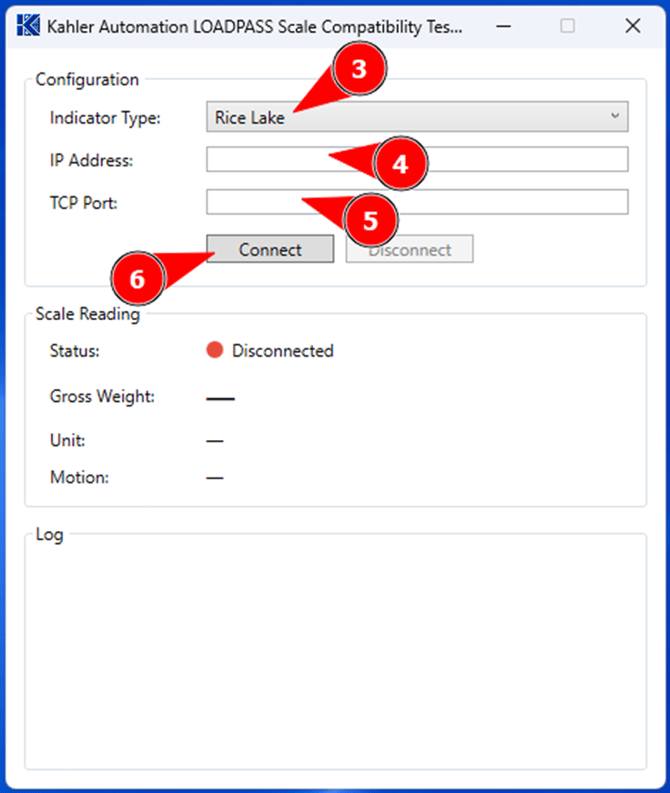
- Select the Indicator Type.
- Enter the IP address of the scale.
- Enter the TCP port the scale is streaming from.
- Click “Connect”.
On Failure
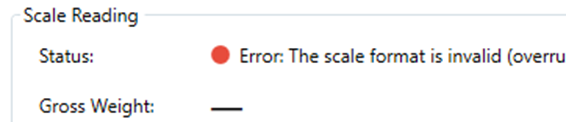
Choosing the wrong indicator type, IP address, or TCP port can result in a failure to connect, signified by a red status under Scale Reading. Check the error message listed in the log, verify the connection information, and attempt to connect again.
On Success
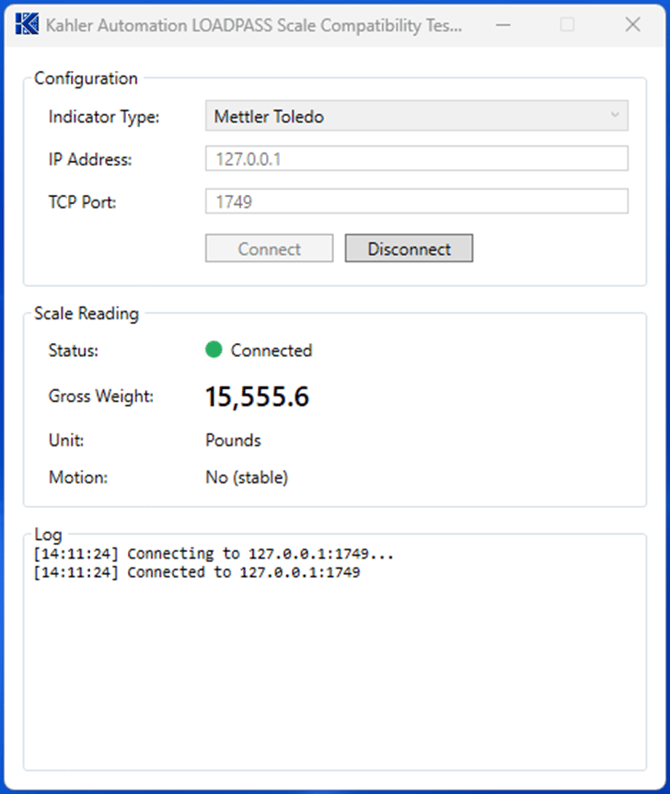
When the test utility can connect to the scale indicator, a green status is displayed under the Scale Reading section. A reading is also displayed in real time; verify that the value and units match the scale indicator.
After a successful connection is made, record the indicator type, IP address, and TCP port details; these will be used in the LOADPASS Connector to configure the scale connection. Sites replacing a scale may now configure the scale in the LOADPASS Connector. Sites providing their own scale indicator for a new installation will configure the scale as part of the LOADPASS commissioning.
Further Reading
Still Need Help?
Submit an online web ticket or call us at Kahler Automation 507-235-6648 Option 2.