![Logo-RGB-color-solid.png]](https://help.kahlerautomation.com/hs-fs/hubfs/Logo-RGB-color-solid.png?height=40&name=Logo-RGB-color-solid.png)
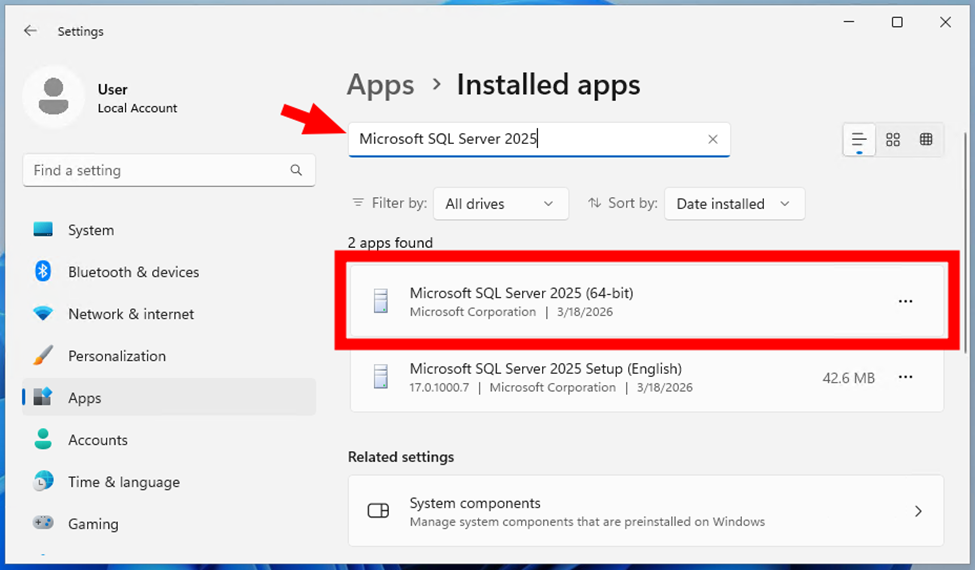
To check if Microsoft SQL Server 2025 (64-bit) is installed on your server, look at the list of installed applications on that machine.
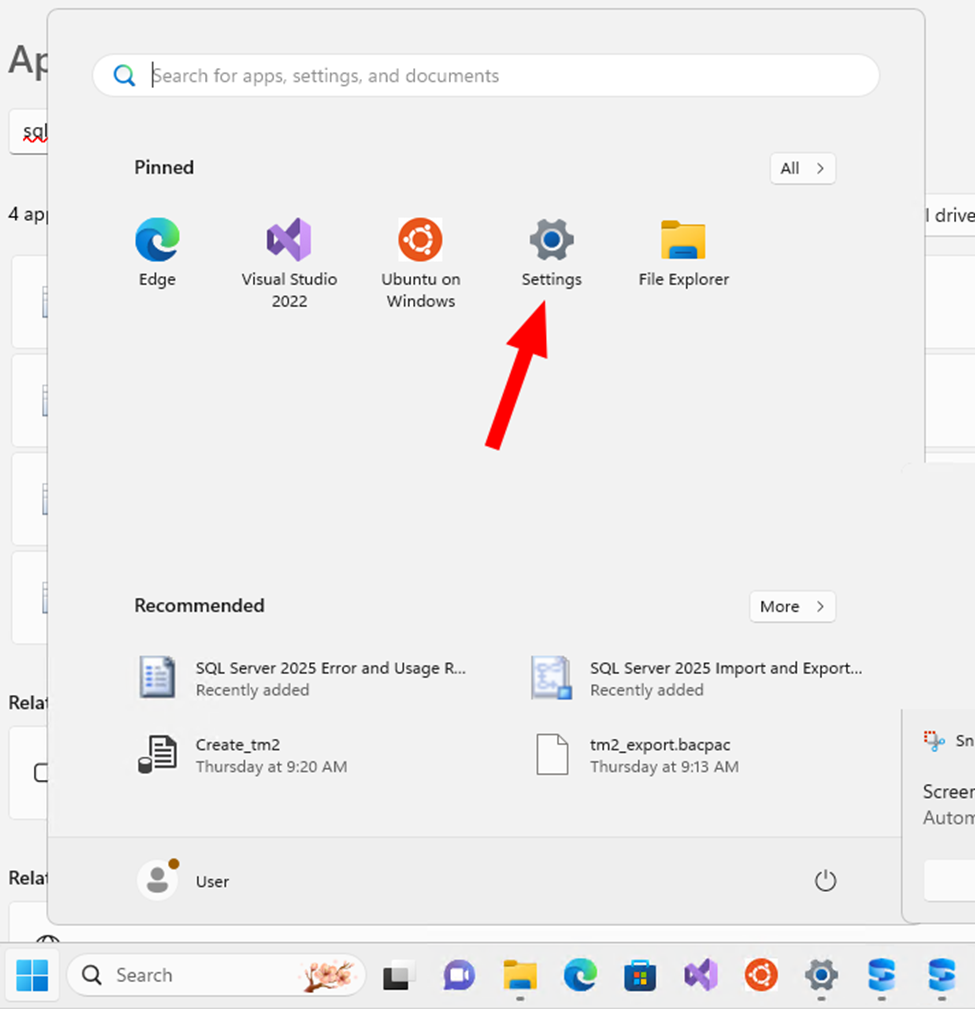
- Open the Settings app.
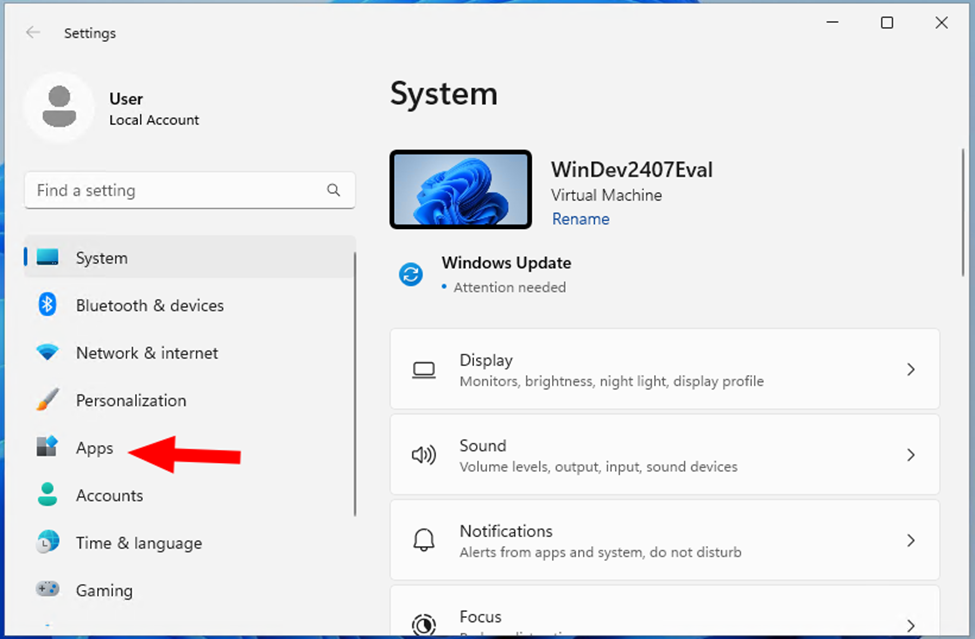
- Click the “Apps” link.
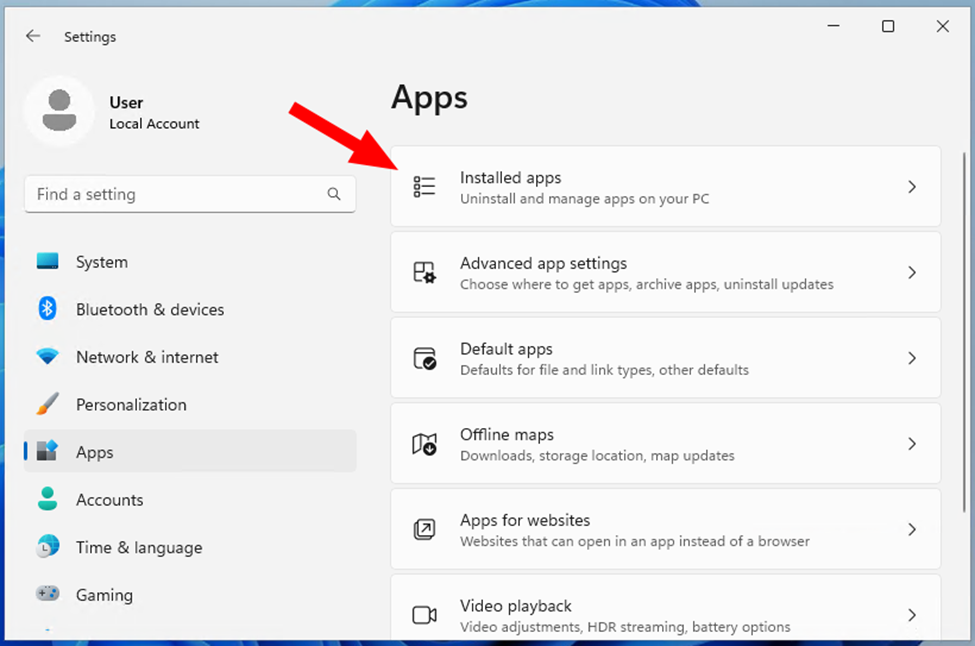
- Click the “Installed apps” link.
- Search for “Microsoft SQL Server 2025”. If installed, it is listed. If not listed, you should see “Microsoft SQL Server 2022” installed instead.
Still Need Help?
Submit an online web ticket or call us at Kahler Automation 507-235-6648 Option 2.