![Logo-RGB-color-solid.png]](https://help.kahlerautomation.com/hs-fs/hubfs/Logo-RGB-color-solid.png?height=40&name=Logo-RGB-color-solid.png)
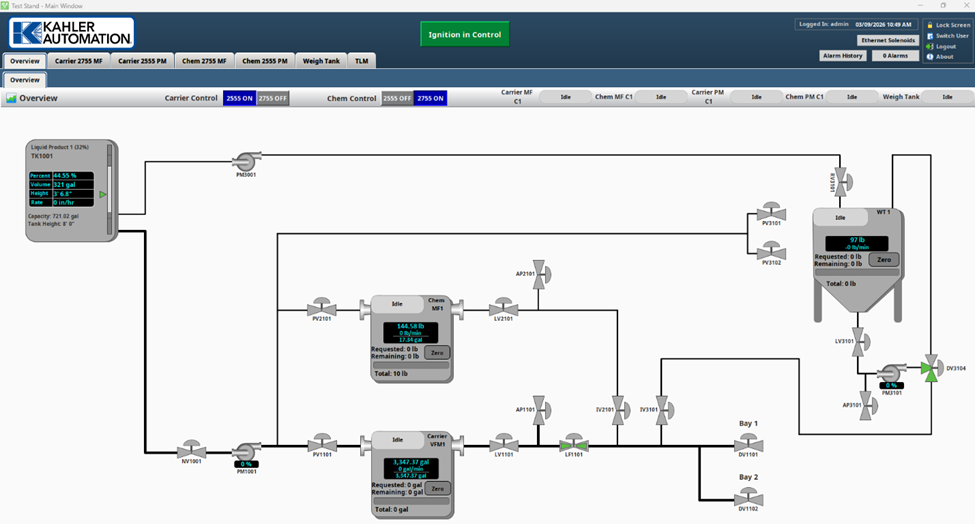
The overview screen provides a view of the system’s current state and control in one place. This page is custom to every site, showing the operator what is happening right now, including valve state, pump speed, and meter reading on all equipment.
Liquid Overview Example
Dry Overview Example
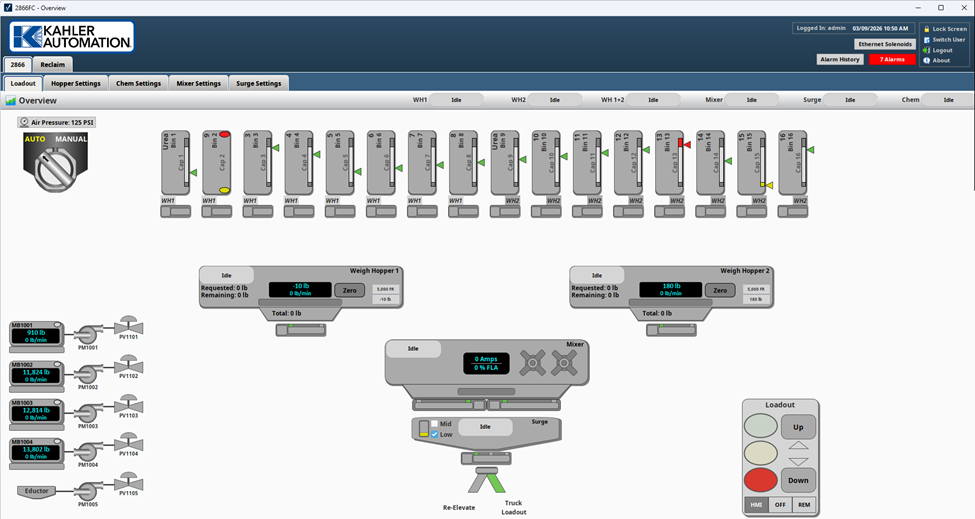
Common to all FLEXCOMMAND systems, the overview screen is an operator’s first place to look when monitoring the system. The screen provides details on the state of everything going on in a system.
Controllers display their current action--pumps, valves, and gates highlight green when active.
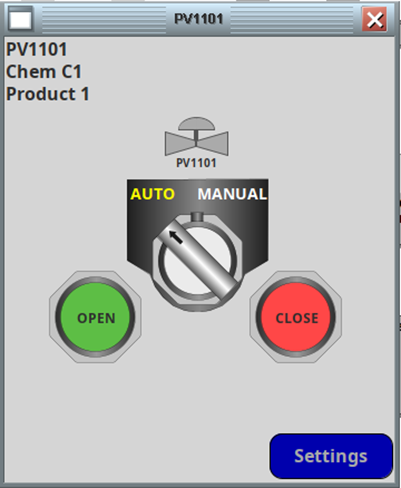
Clicking on a pump, valve, or gate opens a control window allowing an operator to take manual control of that piece of equipment if required.
Some FLEXCOMMAND systems will split distinct operations into separate overviews to keep screens focused. This is common in dry systems to separate reclaim and loadout.
Still Need Help?
Submit an online web ticket or call us at Kahler Automation 507-235-6648 Option 2.