![Logo-RGB-color-solid.png]](https://help.kahlerautomation.com/hs-fs/hubfs/Logo-RGB-color-solid.png?height=40&name=Logo-RGB-color-solid.png)
Applies to
- Carrier systems
- Chem injection systems
- Mass-flow based systems
- Pulse meter based systems
Settings on the Dispenser Settings screen tend to be configured during commissioning and do not need further adjustment unless conditions change.
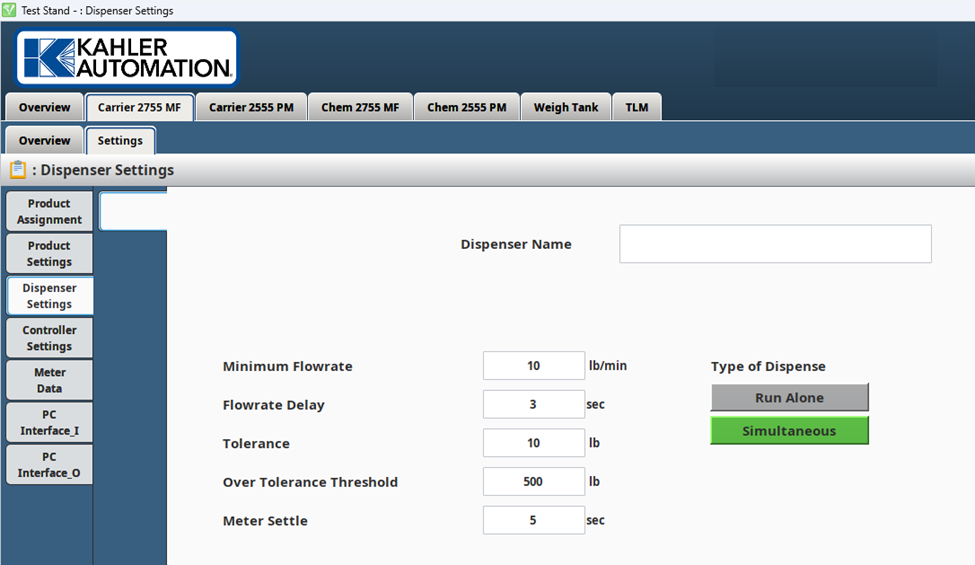
Dispenser Name
A customizable setting that allows the user to assign a specific name to the meter based on their facility's layout or preference (e.g., "Meter 1").
Minimum Flowrate
A configurable flowrate threshold used during dispensing. If the flowrate falls below this value and remains low for a specified time delay (flowrate delay), the controller triggers an alarm and indicates no weight change.
Flowrate Delay
A configurable time associated with the Minimum Flowrate. If the flowrate remains below the Minimum Flowrate for this duration, the controller triggers an alarm and indicates no weight change.
Tolerance
Under-delivery Acceptance:
- Remaining amount ≤ Anticipation: The remaining amount to be dispensed must be less than or equal to the anticipation setting.
- Remaining amount ≤ Tolerance: The remaining amount must also be less than or equal to the defined tolerance value.
- If both conditions are met, the product is considered complete. This means that the delivery is finished, even if there is a slight under-delivery, as long as it falls within the acceptable tolerance level.
Continuation of Dispensing:
- If the dispensing process is stopped with a remaining amount that is greater than the sum of the tolerance and anticipation, the following rules apply:
- Remaining amount ≥ Tolerance: If the remaining amount to be dispensed is greater than or equal to the tolerance setting, the product continues to dispense. In other words, the system keeps dispensing until the difference is within the acceptable tolerance range or until the full requested amount is met.
- Tolerance for Smaller Requested Amounts: If the requested amount is less than the anticipation setting, the system still uses tolerance to complete the order. This occurs because the system can’t dispense less than the anticipation setting.
Over Tolerance Threshold
If the difference between the delivered amount and the requested amount exceeds the over tolerance threshold, a warning is displayed to alert the operator that too much product was dispensed.
Meter Settle
At the end of an order, the system waits this long before recording the final delivered amount.
Still Need Help?
Submit an online web ticket or call us at Kahler Automation 507-235-6648 Option 2.