![Logo-RGB-color-solid.png]](https://help.kahlerautomation.com/hs-fs/hubfs/Logo-RGB-color-solid.png?height=40&name=Logo-RGB-color-solid.png)
All FLEXCOMMAND systems with air solenoids feature a diagnostic view. This view can be used to validate status of equipment.
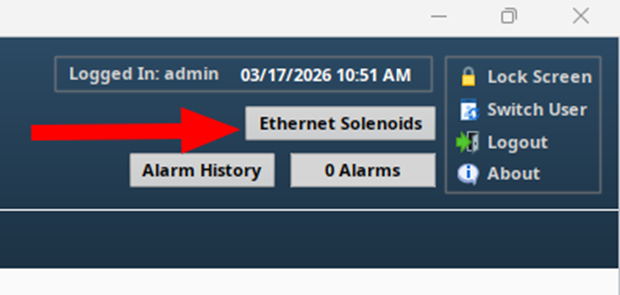
In the top right of the FLEXCOMMAND HMI view, a button gives access to the Ethernet Solenoid Diagnostics window.
The diagnostics window is split into the left and right sections. The left section lists each solenoid panel connected; click on a panel to view state details in the right section.
The right section lists solenoids 1-32, their current state, and the status of that solenoid.
Verify operation of valves by manually cycling them in FLEXCOMMAND and confirming their operation visually. If the valve does not move, verify that the operation in the diagnostics tool works. If the solenoid reports an error, contact the Kahler Automation service department. If the solenoid does not report an error but the valve or gate does not move, the device may be stuck or an airline may have been damaged or disconnected.
Note: A panel can house a maximum of 32 solenoids, but may have less. Note how many solenoids are physically in each panel. Solenoids not present will show an error status as they do not exist.
Still Need Help?
Submit an online web ticket or call us at Kahler Automation 507-235-6648 Option 2.