![Logo-RGB-color-solid.png]](https://help.kahlerautomation.com/hs-fs/hubfs/Logo-RGB-color-solid.png?height=40&name=Logo-RGB-color-solid.png)
Applies to:
- Constellation
Following a successful Data Sharing connection, the receiving party will need to map the products they use to the ones sent over the connection. Data Sharing is hidden until there is an active data sharing connection.
- Navigate to the “Shared Products” page in Constellation
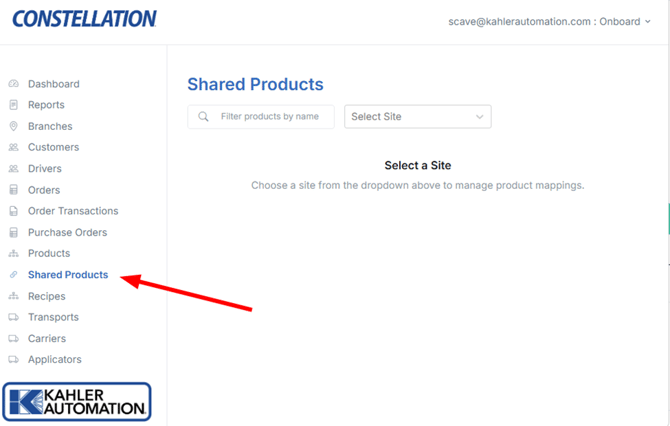
- Select a site from the drop down (only sites with an active data connection will be shown
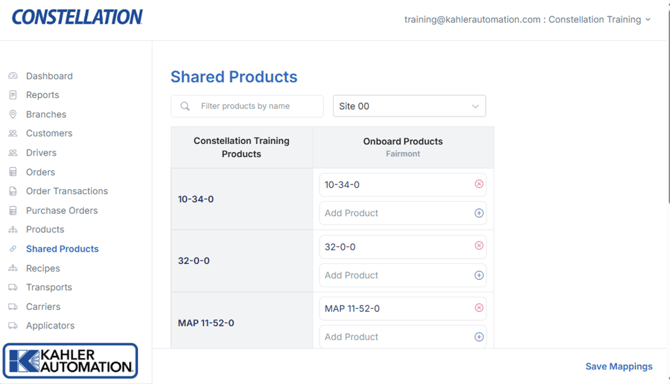 In the table that appears the left column displays all products configured to the local site, while the columns on the right display all shared products mapped to the local site.
 - Add a mapping to a product by clicking the “Add Product” box next to the corresponding product.
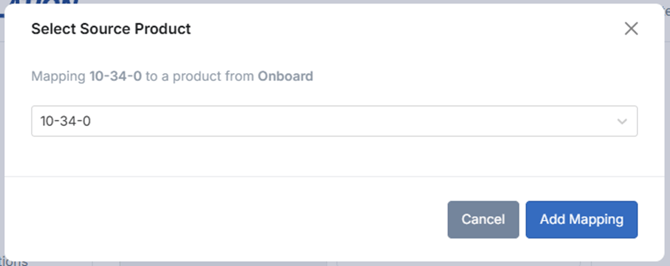
- Select the mapping
- Click “Add Mapping”. In the example above, the shared “10-34-0” product is being mapped to the local “10-34-0” product.
- Repeat for all products needing to be mapped. Multiple shared products can be mapped to a single local product.
- Click “Save Mappings” to apply the changes.
Still Need Help?
Submit an online web ticket or call us at Kahler Automation 507-235-6648 Option 2.