![Logo-RGB-color-solid.png]](https://help.kahlerautomation.com/hs-fs/hubfs/Logo-RGB-color-solid.png?height=40&name=Logo-RGB-color-solid.png)
Customer Activity Report
The “Customer Activity Report” gives users access to a summary of all tickets that have passed through Constellation.
Filters for the report include Site, Customer, Product/Recipe and Branch. Columns can be configured to display only relevant information.
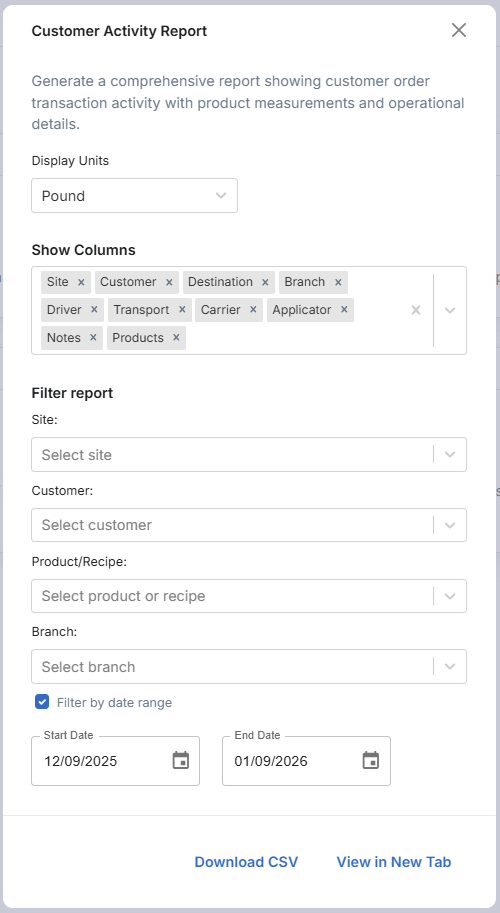
Set the desired filters and click “Generate Report”. A copy of the report can be directly downloaded by clicking "Download CSV"
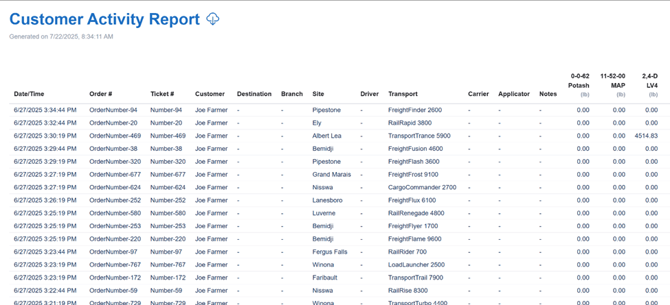
To download a CSV copy of the data, click the “ ” icon.
Product Configuration Report
The “Product Configuration Report” gives users a report showing all products configured in Constellation, including site assignments and defined density values, to help verify product setup across systems.
Filters for the site include Site and Product. Columns can be configured to show only needed information.
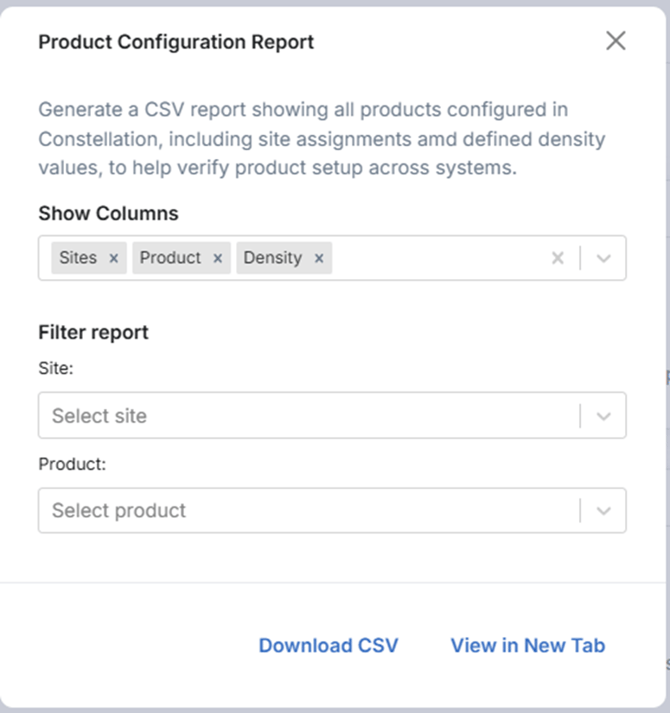
Set the desired filters and click “Generate Report”. A copy of the report can be directly downloaded by clicking "Download CSV".
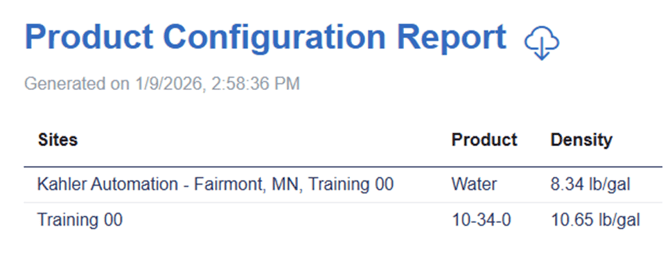
To download a CSV copy of the data, click the “ ” icon.
Still Need Help?
Submit an online web ticket or call us at Kahler Automation 507-235-6648 Option 2.