![Logo-RGB-color-solid.png]](https://help.kahlerautomation.com/hs-fs/hubfs/Logo-RGB-color-solid.png?height=40&name=Logo-RGB-color-solid.png)
Found under “Orders” on the left-hand navigation bar, this page gives visibility to the flow of orders between FieldAlytics and Constellation. Each tab on this page displays orders in various categories.
Details
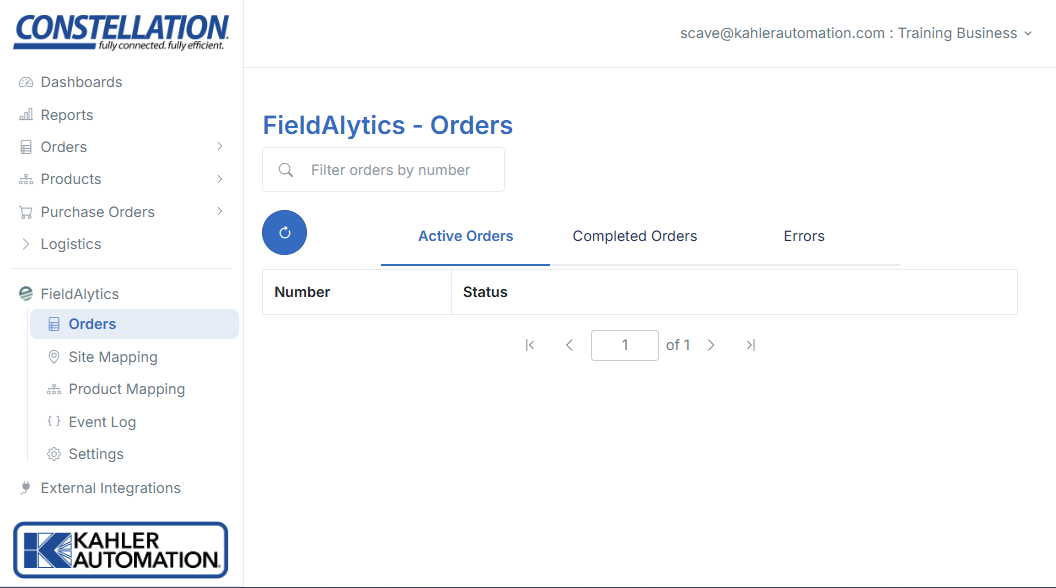
The Active Orders section lists all orders currently active in the system.
The Completed Orders section contains all orders successfully exported. Some exceptions may be included in this list of exported errors, such as orders marked invoiced in FieldAlytics before it was completed. Nominally this list will be successful exports.
The Errors section is all orders which encountered an error preventing import. Retry options are provided to manually retry, or automatic retry will occur regularly. Errors include:
- Missing or invalid Product mappings.
- Invalid Blender ID or missing Blender ID to Site mapping.
Further Reading
- Constellation FieldAlytics Integration
- Constellation FieldAlytics Integration - Site Mapping
- Constellation FieldAlytics Integration - Product Mapping
- Constellation FieldAlytics Integration - Event Log
- Constellation FieldAlytics Integration - Settings