![Logo-RGB-color-solid.png]](https://help.kahlerautomation.com/hs-fs/hubfs/Logo-RGB-color-solid.png?height=40&name=Logo-RGB-color-solid.png)
Applies To
- Constellation
The Site Connection Status Widget in Constellation gives a look at any connection issues between Constellation and the local server computer. Sites with such issues will not receive updates to synchronize information until they are resolved. Possible causes include internet service interruptions, a server being powered down, or name collisions.
The widget shows up to eight sites and their status at a time. Sites with connection issues are prioritized for display.
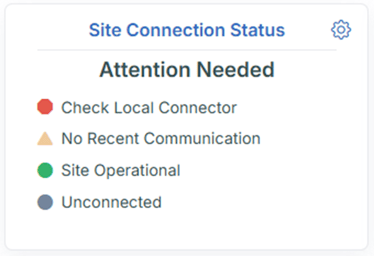
A site that stops communicating typically reports No Recent Communication within one to two minutes of the start of the issue.
Advanced View
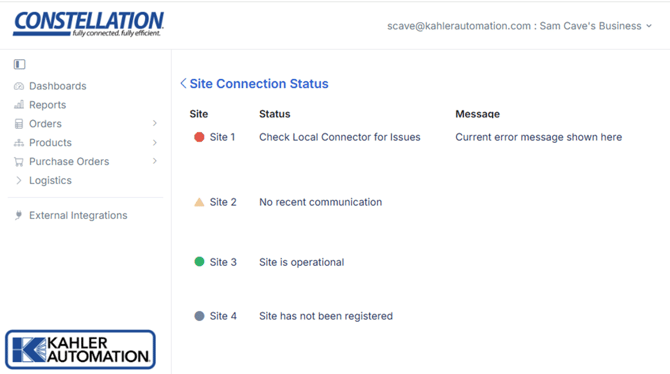
Click the Site Connection Status widget to switch to the Site Status page, which shows all connected sites and their status. The list is sorted so that any sites with issues are shown at the top; sites with no issues are listed at the bottom.
Site Statuses
- Site is operational: No issues and the site is checking in. (Green indicator)
- No recent communication: Site is not currently communicating. Internet may be down, a service stopped, or the on-site server powered off. (Yellow indicator)
- Check Local Connector for Issues: An error has occurred, and action needs to be taken on the on-site server to resolve. (Red indicator)
- Site has not been registered: There is no connection to site, and registration is pending. (Gray indicator)
Further Reading
Still Need Help?
Submit an online web ticket or call us at Kahler Automation 507-235-6648 Option 2.