![Logo-RGB-color-solid.png]](https://help.kahlerautomation.com/hs-fs/hubfs/Logo-RGB-color-solid.png?height=40&name=Logo-RGB-color-solid.png)
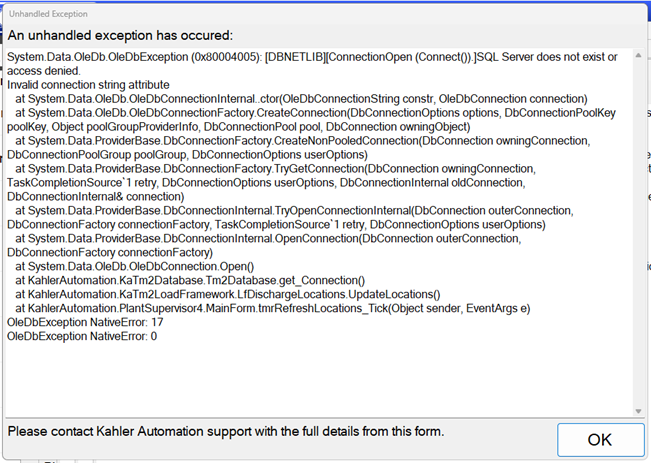
This error indicates that something unexpected has happened. It is a generic message with several possible causes including communication or configuration changes.
An unhandled exception popping up likely indicates something has changed and a restart may be required. Unhandled exceptions found in logs are more likely to require a configuration change to resolve.
Event logs can be found in Terminal Management TMX. See https://help.kahlerautomation.com/en/knowledge/accessing-the-terminal-management-tmx-event-log
Common Cause
- Network changes have made the server unreachable.
- Certain configuration changes were made while software was running.
- An expected configuration was not found.
Solution
Depending on the specific error, restarting all Kahler applications and/or the computer may resolve the issue.
Still Need Help?
Submit an online web ticket or call us at Kahler Automation 507-235-6648 Option 2